Turn your boring GitHub profile into a landing page

Come along with me on a public learning journey into AWS Cloud and DevOps, designed specifically for those without a technical background. I'll be documenting each step in straightforward, easy-to-understand language to help others make a smooth transition into DevOps. Together, we'll delve into continuous integration, deployment, and automation, breaking down complex concepts into manageable, actionable insights.
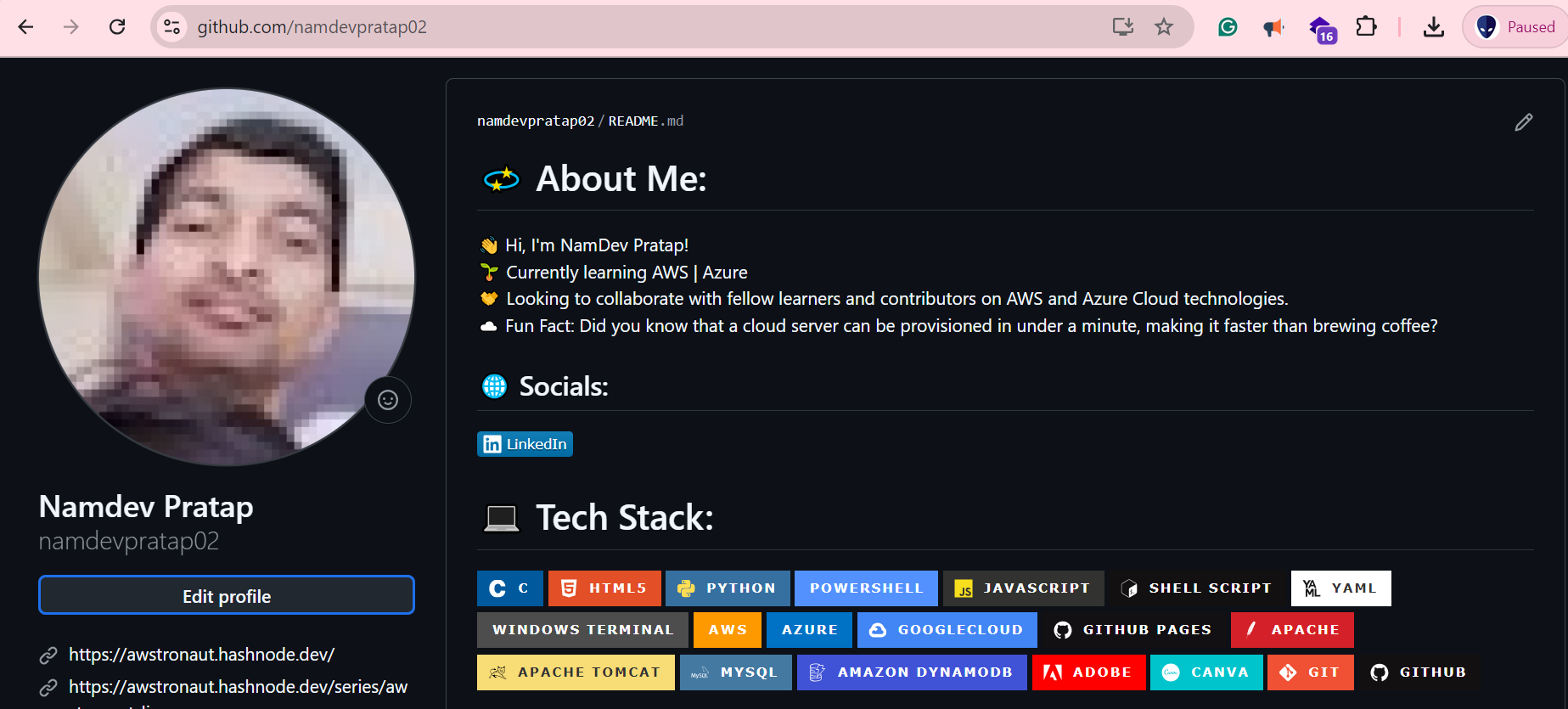
From boring GitHub profiles like this ⬇️
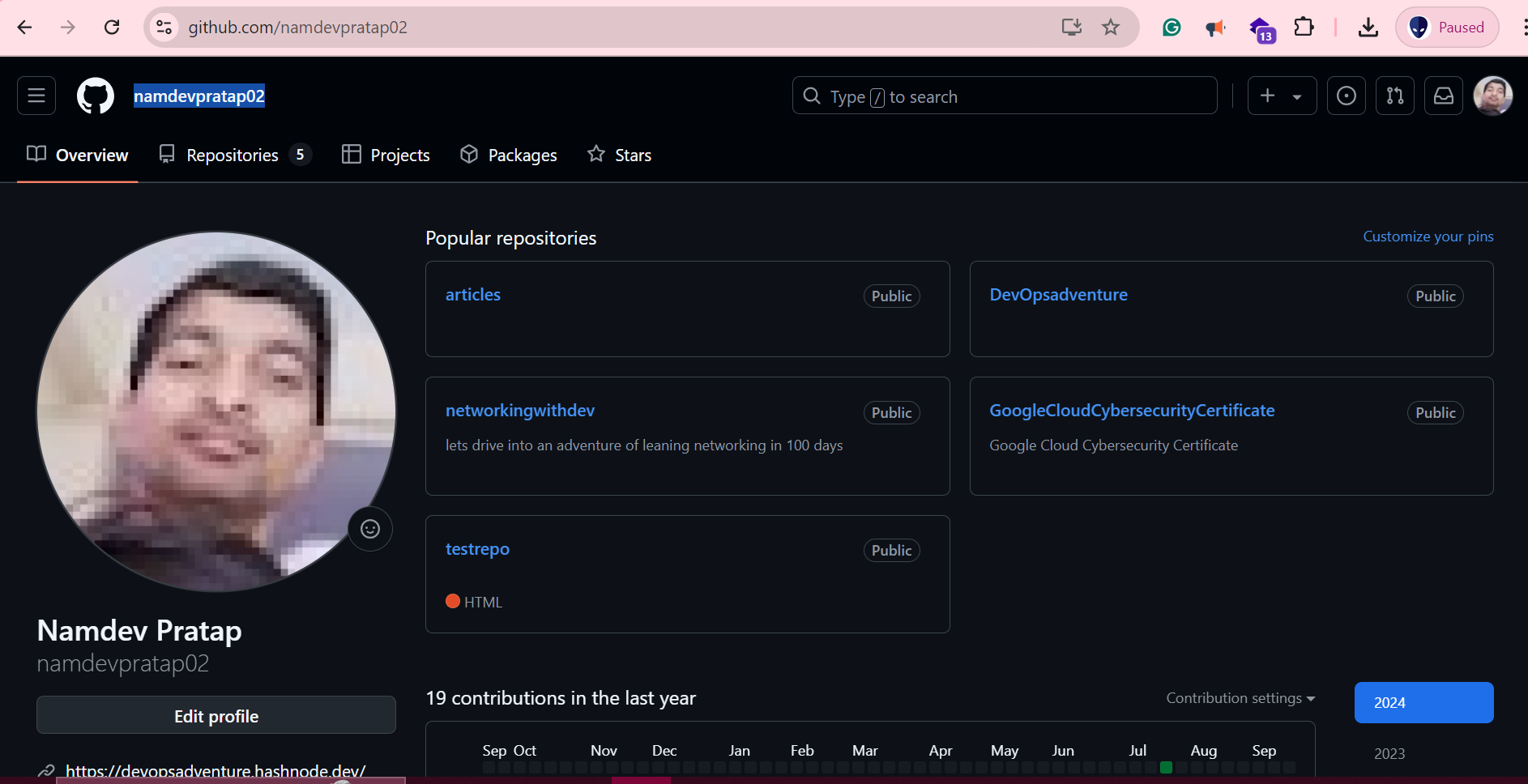
To ⬇️
What is GPRM (GitHub Profile README Manager)?
GPRM is a powerful tool that helps you create a dynamic and visually appealing README for your GitHub profile. Since the README is often the first thing visitors see at the top of your repository page, it's an essential way to introduce yourself. With GPRM, you can easily personalize your GitHub profile by adding a custom banner, introduction, social media links, project highlights, and more!
How to Use GPRM: A Step-by-Step Guide
Visit the GPRM website (https://gprm.itsvg.in/) and enter your GitHub username.
Customize your introduction or use one of the pre-made templates, then click Next.
Show off your stats by selecting either Lifetime Commits, Private Commits, or both, then hit Next.
Add your social media links—choose all your favorites, then click Next.
Select your tech stack (languages, frameworks, hosting platforms, libraries, databases, design tools, etc.) and click Next.
Copy the generated code.
Create a new repository on GitHub named exactly like your GitHub username (e.g., if your username is
rahil1202, the repo should berahil1202).Paste the copied code into the
README.mdfile of that repository and commit the changes.
And that's it! Your GitHub profile is now enhanced with a polished and engaging README.
This version aims to be more engaging and reader-friendly while still covering the necessary steps! Here’s a rephrased version of your text:
What is GPRM (GitHub Profile README Manager)?
GPRM is a powerful tool that helps you create a dynamic and visually appealing README for your GitHub profile. Since the README is often the first thing visitors see at the top of your repository page, it's an essential way to introduce yourself. With GPRM, you can easily personalize your GitHub profile by adding a custom banner, introduction, social media links, project highlights, and much more!
How to Use GPRM: A Step-by-Step Guide
Visit the GPRM website (https://gprm.itsvg.in/) and enter your GitHub username.
Customize your introduction or use one of the pre-made templates, then click Next.
Show off your stats by selecting either Lifetime Commits, Private Commits, or both, then hit Next.
Add your social media links—choose all or just your favorites, then click Next.
Select your tech stack (languages, frameworks, hosting platforms, libraries, databases, design tools, etc.) and click Next.
Copy the generated code.
Create a new repository on GitHub named exactly like your GitHub username (e.g., if your username is
rahil1202, the repo should berahil1202).Paste the copied code into the
README.mdfile of that repository and commit the changes.
And that's it! Your GitHub profile is now enhanced with a polished and engaging README.


