
Come along with me on a public learning journey into AWS Cloud and DevOps, designed specifically for those without a technical background. I'll be documenting each step in straightforward, easy-to-understand language to help others make a smooth transition into DevOps. Together, we'll delve into continuous integration, deployment, and automation, breaking down complex concepts into manageable, actionable insights.
1) Check if there is any Hard disk issues
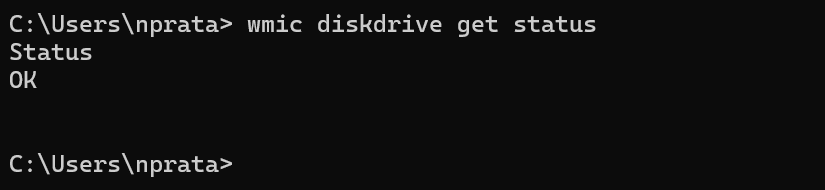
CMD> wmic diskdrive get status
if status shows “ OK” then there is no issue with your hard disk
2) Stop background tasks
Windows + R
Type : taskschd.msc
This will open up task scheduler
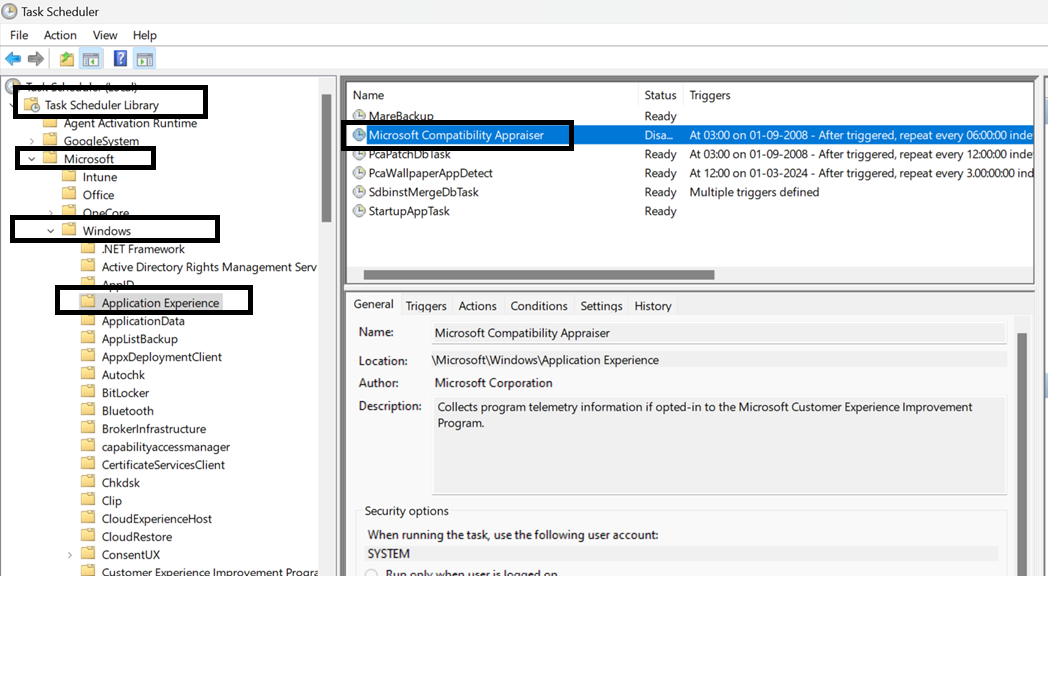
Expand task scheduler library → Microsoft → windows
click on application experience
Right click on “ Microsoft compatible Appraiser” and Disable it
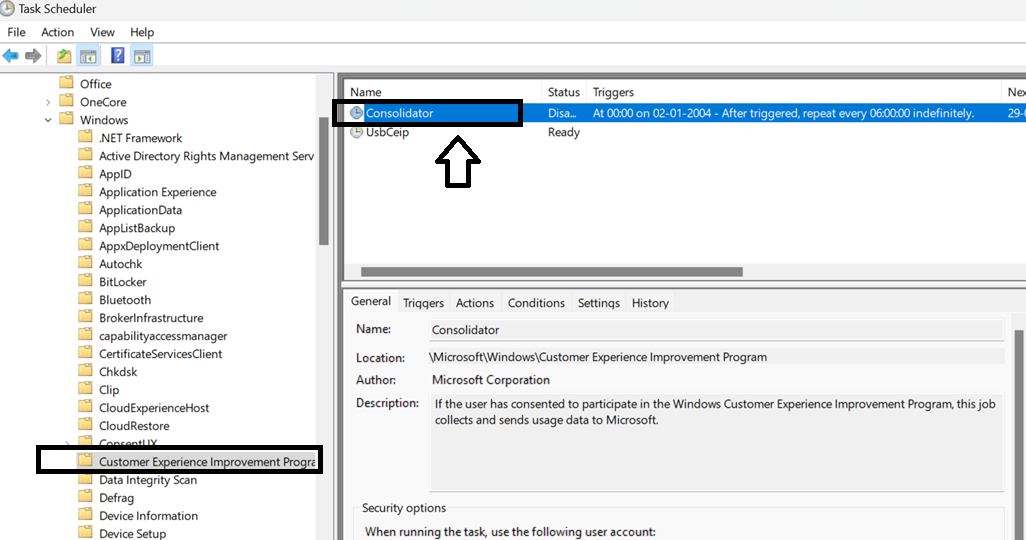
next :On the left look for customer experience improvement program
Right click → consolidator and disable it
Next : scroll down to power efficiency Diagnostics
and Disable any thing on the right
Now close all and restart computer windows will not secretly waste any recourses speeding up your computer !


